


Site Tour with Test Users
Choose a test user to login and take a site tour.
Choose a test user to login and take a site tour.


9 minutes, 20 seconds
-16 Views 0 Comments 0 Likes 0 Reviews
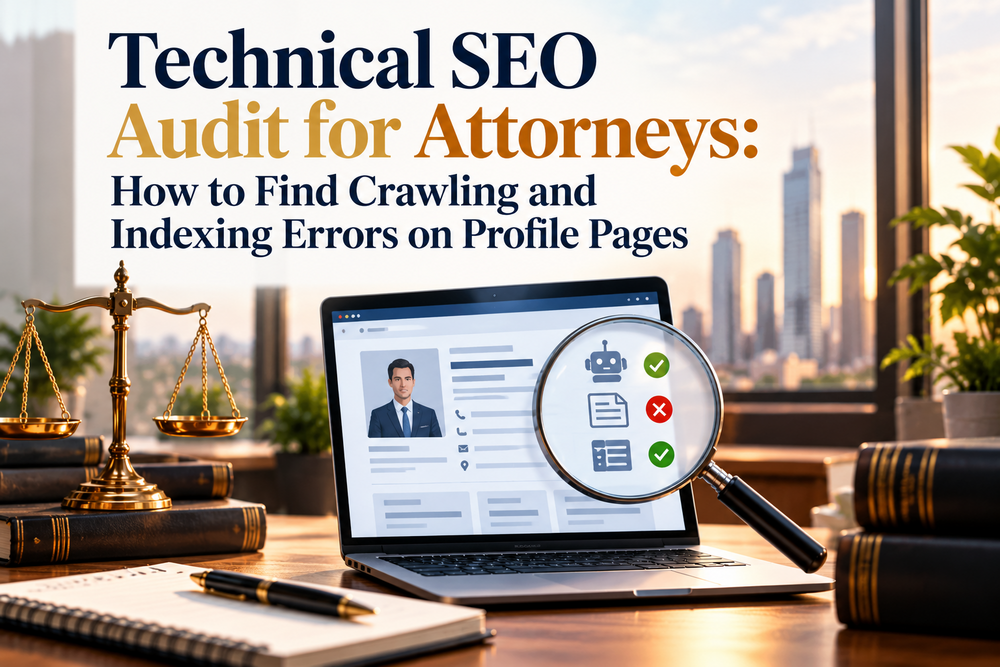
A technical SEO audit for attorneys checks whether Google can find, crawl, and index every attorney profile page. Start in Google Search Console. Then review robots.txt, noindex tags, canonical tags, your XML sitemap, and internal links. Fix whatever blocks or confuses Google, and your profiles can show up when people search for a lawyer.
Many firms spend months polishing bios and case results. Then a stray tag or a blocked folder keeps those pages out of search. This guide shows you how to catch those problems.
People search for a lawyer by name, or by practice area plus a city. Your profile page often answers both searches. If Google cannot index it, that page cannot appear, no matter how strong the content is.
Technical SEO for law firms removes those barriers. It also supports lead generation for law firms, because visibility comes before inquiries. An indexed profile can bring in legal service leads. A skipped profile brings in nothing.
Open the Page indexing report. It lists which URLs Google indexed, which it left out, and why.
Watch for these statuses on profile URLs:
Next, paste a profile URL into the URL Inspection tool. It shows the index status, the canonical Google selected, and the last crawl date. Run a live test to see the page as Google sees it now. After you fix an issue, use Request Indexing.
Your robots.txt file lives at yourdomain.com/robots.txt. It tells crawlers which paths to avoid.
Look for rules such as Disallow: /attorneys/ or Disallow: /team/. One broad line can block every profile. Staging rules that carry over to the live site are another frequent cause.
Did you know? A page blocked in robots.txt can still appear in search results as a bare URL if other sites link to it. Google just cannot read the content.
Robots.txt controls crawling, not indexing. Use the robots.txt report in Search Console to confirm Google fetched your latest version.
A noindex tag tells Google to keep a page out of its index. Check two places: the meta robots tag in the page head, and the X-Robots-Tag HTTP header. The header is easy to miss because it does not appear in the page source. URL Inspection reports both.
Two causes show up often. A developer adds noindex on a staging site, and it ships to production. Or a plugin setting hides author and team pages.
Common mistake: Blocking a page in robots.txt and adding noindex. Google must crawl the page to see the tag. If robots.txt blocks the crawl, Google never reads your instruction.
A canonical tag names the preferred version of a page. Google treats it as a hint, not a command.
Each profile should point to itself. Watch for these errors:
If two attorneys share near-identical bio text, do not canonicalize one to the other. Rewrite the bios with attorney-reviewed content so each reflects that lawyer’s experience, practice focus, and credentials. Those details also strengthen E-E-A-T signals.
Your sitemap should list every profile you want indexed, and only those. Include URLs that return a 200 status, allow indexing, and use themselves as the canonical.
Remove redirected, noindexed, and deleted profiles. Submit the sitemap under Sitemaps in Search Console and check for errors. Update lastmod dates only when the page content changes. Then confirm new attorneys appear in the sitemap automatically. Some custom builds skip this step.
Google discovers pages by following links. A profile with no internal links, called an orphan page, is hard to find and looks unimportant.
Link each profile from several places:
Use plain HTML links with clear anchor text, such as “family law attorney Jane Smith.” Be careful with directories that load profiles through JavaScript buttons or infinite scroll. Googlebot may not click them. Use real links and paginate with crawlable URLs.
| Issue | Likely cause | Fix |
|---|---|---|
| Crawled, not indexed | Thin or duplicate bio | Add unique experience and credentials |
| Profile blocked | Broad Disallow rule | Narrow the rule and retest |
| Wrong canonical | Template error | Set a self-referencing canonical |
| 404 or soft 404 | Attorney left the firm | 301 to the team page, or return 410 |
| Redirect chains | Old URL structure | Link straight to the final URL |
| Missing from sitemap | CMS exclusion | Add the URL and resubmit |
| Orphan profile | No internal links | Link from directory and practice pages |
Expert insight: Most law firm sites are small, so crawl budget rarely holds them back. Conflicting signals do. A page listed in the sitemap that also carries a noindex tag is a classic example. Fix conflicts like that first.
Pro tip: Crawl your site with a tool such as Screaming Frog. Then compare three lists: crawled profiles, sitemap URLs, and indexed pages in Search Console. Any gap between them points to the problem.
A technical SEO audit for attorneys is not a one-time task. Sites change, attorneys join and leave, and small settings break quietly. Review your profile pages on a schedule, and fix errors before they cost you visibility.
If you want a second set of eyes on your firm’s site, PageOne Lawyers can review your setup with you. You can start with the free SEO audit.
Run one every quarter. Also run one after a redesign, migration, or CMS update.
Common causes include a noindex tag, a robots.txt block, a wrong canonical, thin content, or no internal links. Check URL Inspection first.
No. It blocks crawling only. To remove a page, use a noindex tag on a crawlable page, or delete the page.
It can take days or weeks. Request Indexing may help, but Google does not guarantee timing.
Untitled 0 0 0 4 4
4 photos




Share this page with your family and friends.