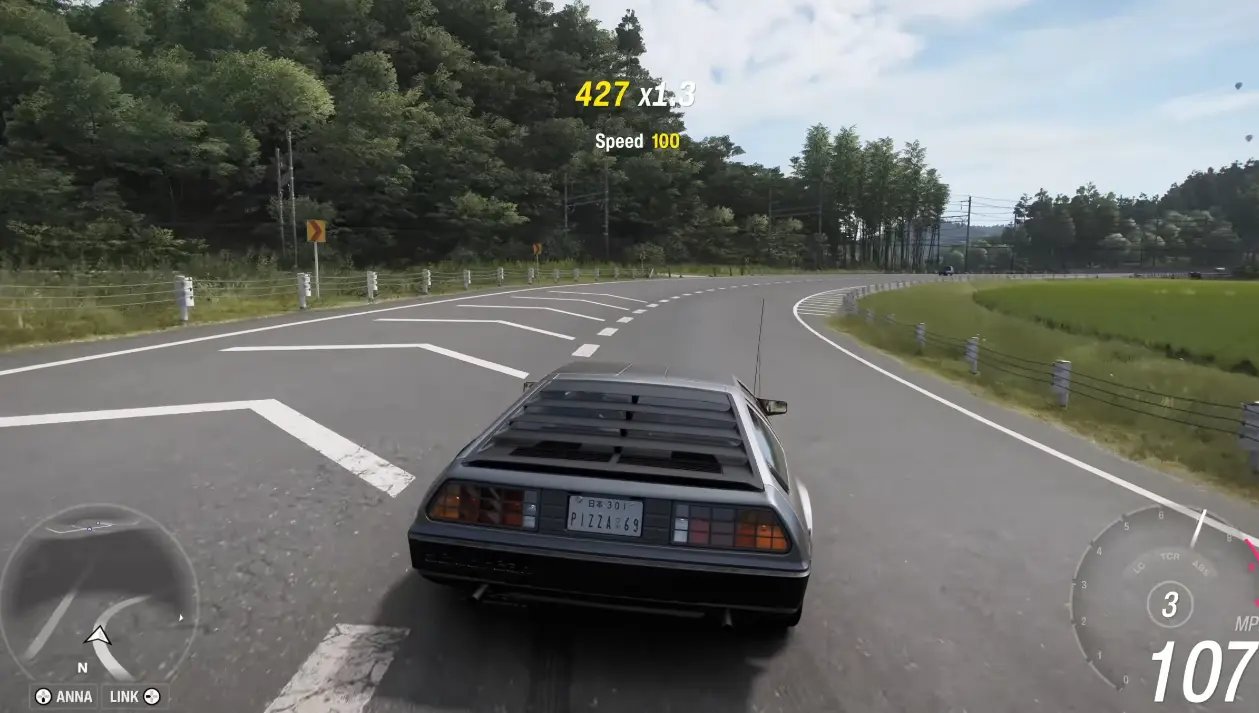
Forza Horizon 6’s Japan map looks absolutely stunning when you push your PC to the limit. To get true photorealism, you’ll need to tweak everything from ray tracing to AI upscaling carefully.
Phase 1: Verify Your Hardware
Extreme graphics at 4K with full ray tracing is very demanding. Make sure your PC can handle it:
- GPU: NVIDIA RTX 5070 Ti / 4080 or AMD RX 9070 XT / 7900 XTX
- VRAM: 12–16 GB minimum
- System RAM: 32 GB recommended
- Storage: High-speed NVMe SSD (≈167 GB game size)
Without these, max settings may drop your framerate severely.
Phase 2: System-Level Optimizations
- Update GPU Drivers:
- NVIDIA: GeForce Game Ready Driver v595+ (May 2026)
- AMD: Latest Adrenalin drivers optimized for FH6
- Enable Hardware-Accelerated GPU Scheduling (HAGS):
HAGS helps with smoother frame generation on high-end GPUs.
Phase 3: Set Baseline Video Parameters
Inside the game:
- Resolution: Match your monitor (e.g., 3840×2160 for 4K)
- Frame Rate: Uncapped
- Display Mode: Fullscreen
- V-Sync: Off (use G-Sync/FreeSync at system level)
This ensures the engine can fully utilize your hardware.
Phase 4: Extreme Graphics Profile
Open Graphics Settings and push every slider to max:
- Preset: Extreme
- Texture Quality: Extreme (requires >12 GB VRAM)
- Anisotropic Filtering: 16x (sharp road and terrain details)
- Shadow Quality: Extreme
- Environment Geometry: Extreme (reduces object pop-in at high speeds)
- Reflections: Extreme (highly detailed car and water reflections)
Phase 5: Enable Ray Tracing & Advanced Illumination
- Ray Tracing Quality: Extreme
- Ray-Traced Reflections: On (cars, wet roads, puddles)
- Ray-Traced Global Illumination (RTGI): On (realistic indirect lighting for day/night/dusk)
This is the visual game-changer for photorealism.
Phase 6: Apply AI Upscaling & Frame Generation
4K RTGI is heavy. Use AI upscalers to maintain playable FPS:
- NVIDIA RTX 40/50 Series:
- DLSS: Quality or DLAA
- Multi-Frame Generation: On
- NVIDIA App Override → Dynamic + Preset B for smooth motion
- AMD / Intel:
- AMD FSR 4 / Intel XeSS 2.1 → Quality scaling
- Note: FSR/XeSS frame generation is blocked in-engine; raw GPU handles rendering
Phase 7: Benchmark & Fine-Tune
- Run Internal Benchmark Mode in the graphics menu
- Monitor VRAM usage: Keep under maximum GPU capacity
- If CPU bottlenecks cause stutter: limit frame rate to 80 FPS or 60 FPS inside Video Settings
This ensures consistent high-quality visuals without sudden drops.
Quick Tips
- Turn Motion Blur Off or Short for clarity in high-speed driving.
- Keep TAA / DLAA Off if using DLSS/FSR upscalers.
- Avoid extreme background apps—FH6 can use over 20 GB of RAM at Extreme + RTGI.
By following this guide, you can enjoy the full beauty of Japan in Forza Horizon 6 without compromising framerate. The combination of Extreme Graphics + RTGI + DLSS/FSR will give you a near-cinematic experience on PC.




Share this page with your family and friends.